
Sagar Club Account Security
Most lost Sagar Club accounts come from three things: a shared OTP, a fake login page and a reused password.
Close those three doors and your account is safe.
Table of Contents
Six rules
- Never share an OTP.
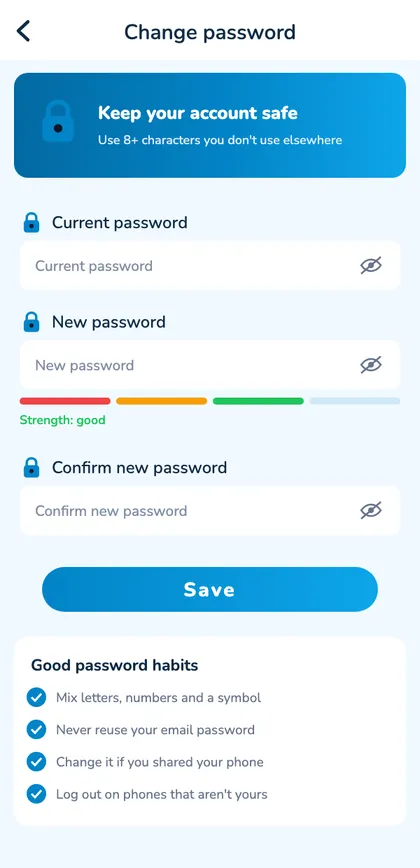
- Use a unique password.
- Open Sagar Club only from the app or a bookmark.
- Install only the official app.
- Turn on login alerts.
- Log out on shared devices.
Common scams
“Support” asking for a code
Hang up – it’s a reset code for your account.
Forwarded ‘new link’
Often a fake login page.
‘Mod’ or ‘hack’ APK
Steals logins.
Paid ‘VIP codes’
Always fake.
If someone got in
- Change your password immediately.
- Check login security for unknown devices.
- Tell support.
- Change any other account using the same password.
A scam call, explained
A polite caller says they’re from Sagar Club security and need the code they’ve ‘just sent’ to protect your account. The SMS that arrives is a password reset – requested by the caller. Reading it out would hand them your account. Hang up. Genuine support never asks for codes.
Your SIM is part of your security
Reset codes go to your number, so protect the SIM: set a SIM PIN, don’t lend your unlocked phone, and if your phone suddenly shows ‘No service’ for no reason, call your operator immediately.
Monthly five-minute check
- Look at login security for unknown devices.
- Confirm your bound email still works.
- Update the app.
- Check your bookmark is the official address.
Family and shared devices
On a shared phone or tablet, don’t tick ‘Remember password’, don’t save it in the browser, and log out after every session. Sagar Club is 18+, so use an app lock to keep it away from younger family members.
Open Sagar Club the safe way
Use the official app or website. One Sagar Club account works on every device.
Frequently asked questions
Is a SIM PIN useful?
Yes – it protects the SIM that receives your reset codes.