
Sagar Club OTP Not Received
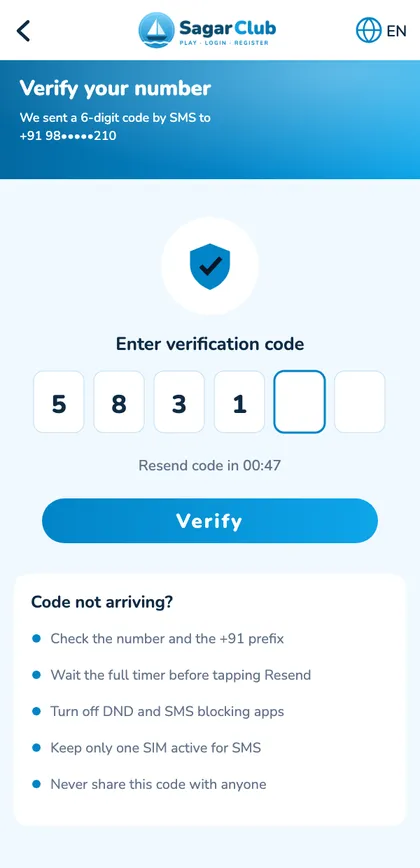
The Sagar Club OTP is a 6-digit SMS code used when you register or reset your password. When it doesn’t arrive, the cause is almost always the phone, not the account.
Work down this list in order.
Table of Contents
Eight fixes, in order
- Check the number – 10 digits, no 0 or +91.
- Wait for the full timer before tapping Resend.
- Look in spam / blocked messages.
- Allow service messages in DND.
- Dual SIM? Keep the registered SIM active.
- Improve signal or restart the phone.
- Free up storage.
- After many requests, wait 30 minutes.
Where hidden SMS go
| Phone | Check |
|---|---|
| Xiaomi / Redmi | Security → Blocklist |
| Samsung | Messages → Block numbers and spam |
| Google Messages | Spam & blocked |
| iPhone | Messages → Filters |
OTP safety
Never share your OTP. Sagar Club support will never ask for it.
Why codes get delayed
SMS codes pass from the app’s messaging provider through your operator to your phone. Busy moments, congested towers, operator filters and your phone’s spam protection can all add delays. Most clear within a minute or two – which is why waiting for the timer beats pressing Resend.
Codes you didn’t request
If a Sagar Club code arrives when you didn’t ask for one, someone typed your number on the register or reset screen. They can’t do anything without the code. Don’t share it; if it keeps happening, change your password and tell support.
Dual-SIM phones
Codes go to the SIM you registered with. If that SIM is switched off, has no signal or isn’t the default for SMS, the message may not appear where you expect. Check Settings → SIM cards and make sure the registered SIM is on.
Open Sagar Club the safe way
Use the official app or website. One Sagar Club account works on every device.
Frequently asked questions
Does login need an OTP?
No – only register and reset.
How long is the code valid?
A few minutes.